
Arrivals, departures and flights for your car park on one screen
Parkium is management software for airport car parks: bookings arrive from wherever they come from, the Panel tells you which car is coming in and which is going out, and the contract comes out as a PDF, on paper or by email.
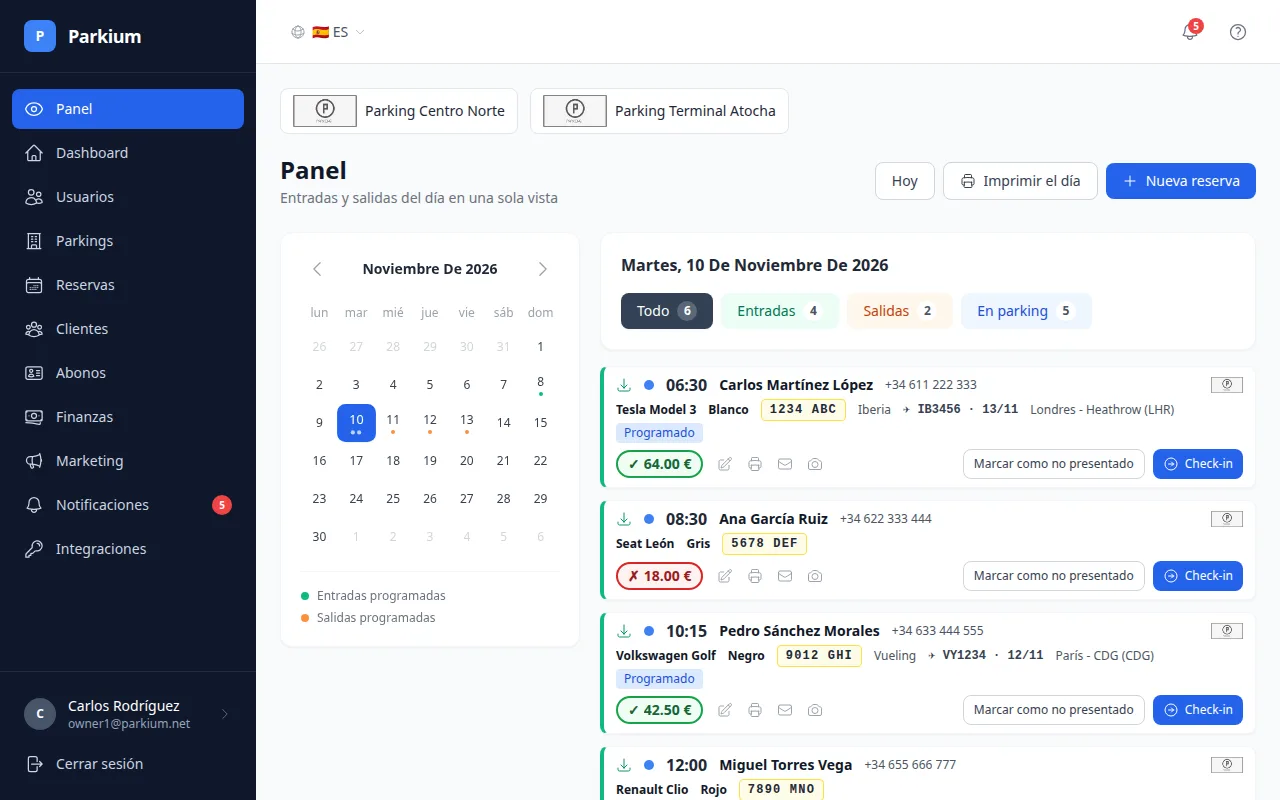
Open the Panel and know what today holds
Each day has its own list, in the order they will turn up: time, customer, car, colour and number plate.
Counters for the day
Arrivals, departures and cars on site, plus a calendar that marks the days with movements.
Check-in and check-out on the card
If the customer doesn't turn up, mark them as a no-show. If you slip, undo it.
The return flight, right beside it
Landed, delayed or not yet checked. When it changes, the bell tells you.
Print the day
One A4 sheet with arrivals, departures and season-pass movements, plus the departures of the next two days.
A booking is a booking, wherever it comes from
They all end up in the same list, under the same rules, without typing them twice.
- Web form
- For the desk and for whoever answers the phone.
- API with a token
- For your car park's website.
- Integrated booking platforms
- Imported automatically every 15 minutes.
- The customer writes, the system asks for what's missing and confirms. Currently in testing.
Each customer is recognised by document, email or phone number, so they aren't duplicated and you see all their vehicles and bookings. Every booking shows where it came from, can be arrival only, departure only or both, and spaces come in the types you define for each car park.
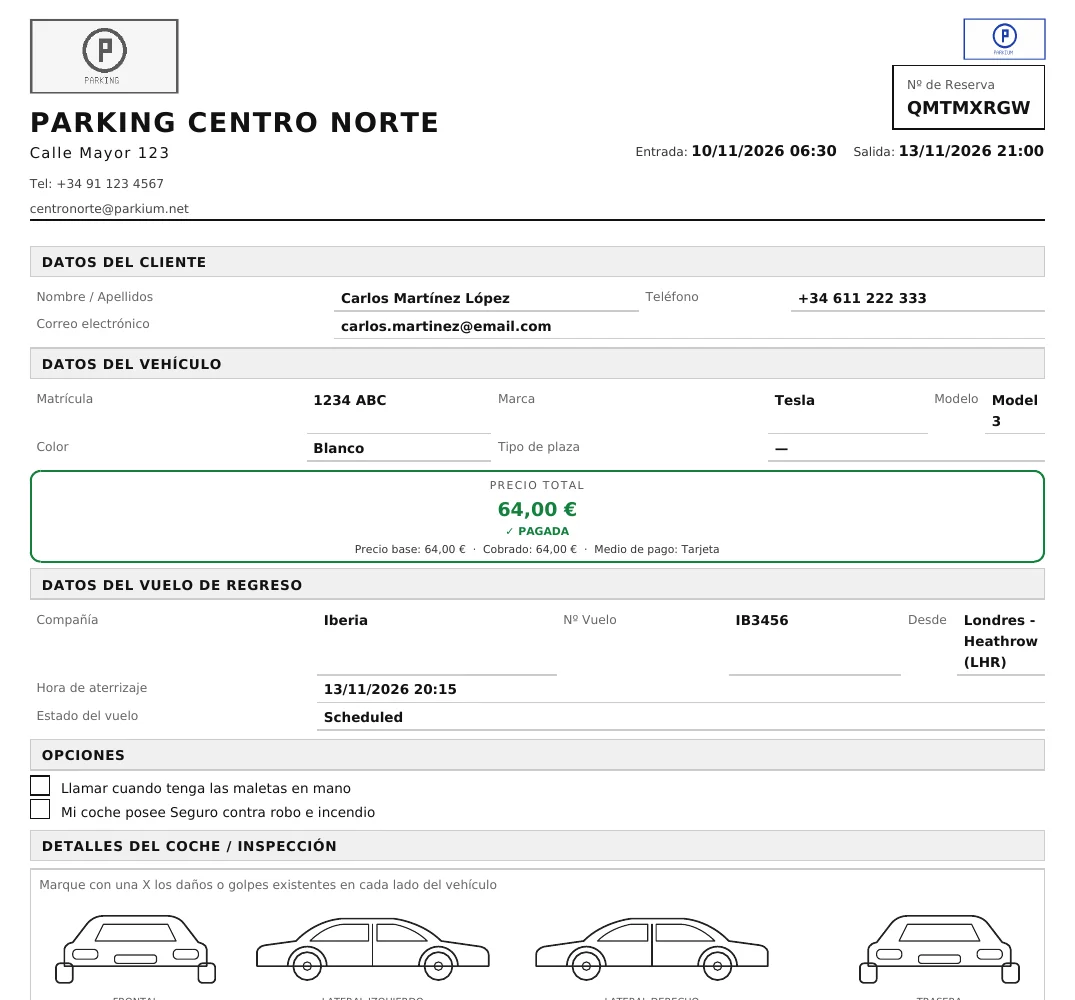
A contract with a diagram for marking the dents
The PDF carries the customer, car and flight details, the price and a blank diagram with the four sides of the car for marking damage before you hand over the keys.
Photos of the car
Up to 10 per booking. You can email them separately from the contract.
Part payments
Partial payments with the balance outstanding, cash or card. The price shows green if paid and red if anything is owed.
Extras
Washing, mechanic, repairs: you set them up per car park and they add to the total.
Your logo
Each car park puts its own on the contract and on the Panel.
Season passes: who is in and who is out
Each pass holds its vehicles, with a limit if you want one, and each vehicle has its status: in or out. You record the entry or exit from the Panel, from the passes list or over WhatsApp.
You see the history of bookings and movements for each pass holder, and the bell warns you a month before a pass expires.
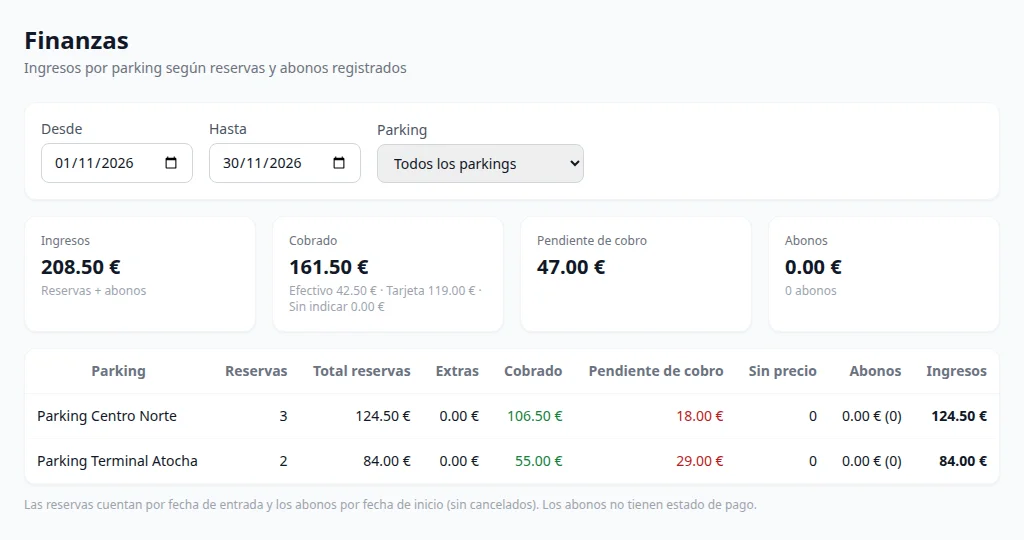
How much you've billed and how much you're owed
Income by car park and by period: what was collected in cash and by card, what is outstanding and the bookings left without a price.
Marketing groups customers into segments, respects who has given consent and exports to CSV.
Several car parks, several users, each with their own
- Owner
- Runs one or more car parks. Sees only their own: their data is isolated from every other owner's.
- Employee
- Works for an owner: runs the Panel, bookings and customers.
The application is available in Spanish, English (UK and US), Catalan, German, French, Italian, Portuguese, Georgian and Arabic, which reads right to left. Users open support tickets from within the application.